98% Open Rate. WhatsApp Marketing That Converts.
Reach customers where they already spend their time. WhatsApp marketing messages get 98% open rates vs 20% for email. Send promotions, launches, and offers with rich media and interactive buttons.
✦ No credit card required · Free plan available · Setup in 5 minutes
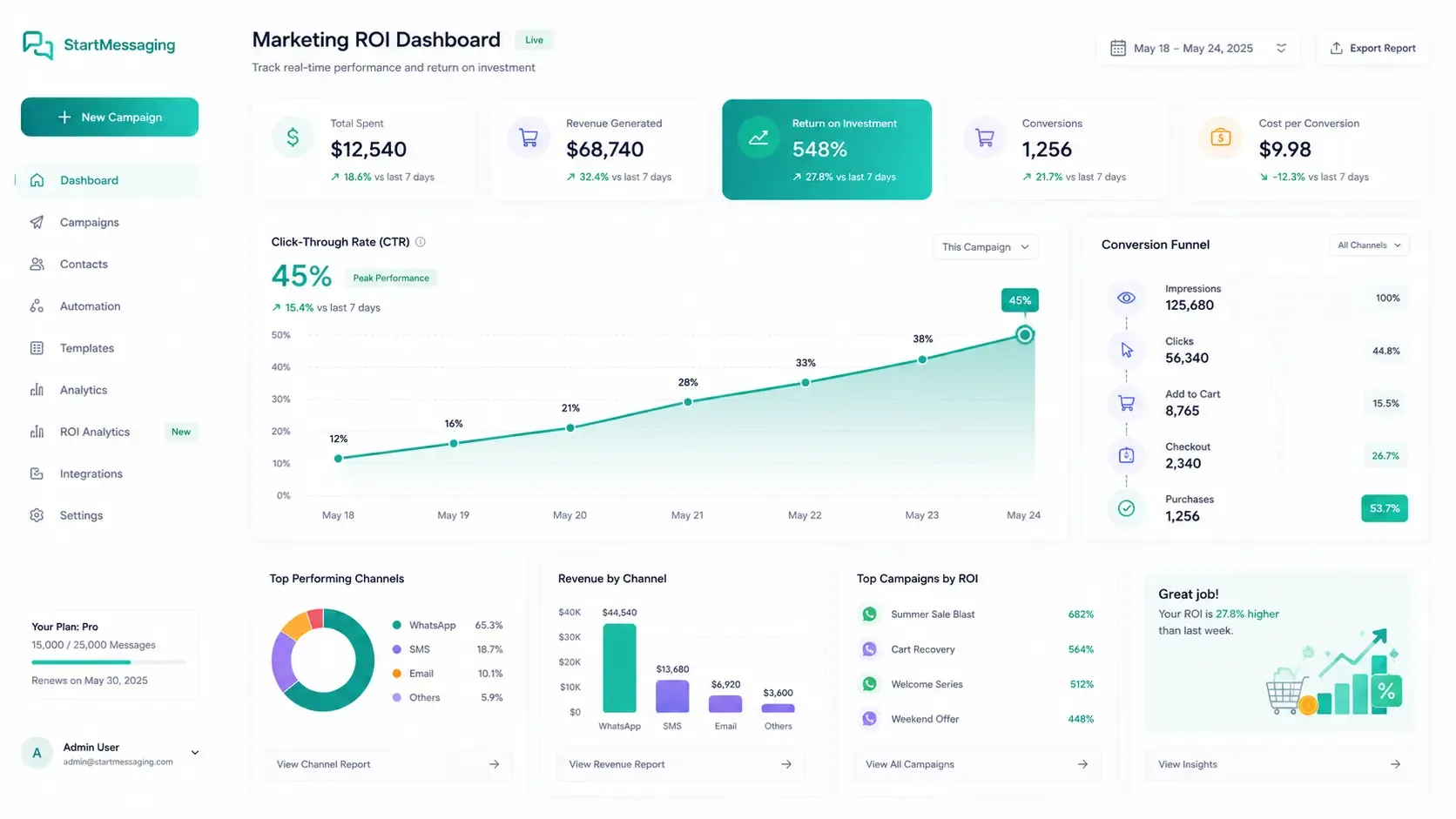
- 45%
- Average Click-Through Rate
- 5x+
- ROI vs. Traditional SMS
- < 2s
- Instant Dispatch Speed
- 10x
- Customer Engagement Rate
Send Promotions That Get Opened
WhatsApp marketing messages support rich media including images, videos, carousels, documents, and interactive buttons. Personalize every message with dynamic variables for each contact — name, purchase history, preferences, and more.
- Rich media support: images, product carousels, PDFs
- Personalized variables dynamically resolved per customer
- Interactive quick-reply and call-to-action buttons
Opt-In to Conversion Pipeline
1. Collect Opt-Ins
Integrate opt-in checkbox triggers inside purchase forms, landing pages, or checkout channels.
2. Welcome Broadcast
Deliver an immediate automated welcome notification containing onboarding discount parameters.
3. Campaign Nurture
Automate recurring promotional broadcasts segmented based on past user conversion behaviors.
WhatsApp Marketing vs. SMS Marketing vs. Email Marketing
Choose the outreach channel with the highest conversions and customer engagement rates.
| Metric | WhatsApp Marketing | SMS Marketing | Email Marketing |
|---|---|---|---|
| Average Open Rate | 98% (Extremely high) | 90% (Often ignored as spam) | 15% - 22% (Spam folders) |
| Interactive CTAs | ✓ (Quick-reply / URL links) | ✗ (Raw hyperlinks only) | ✓ (Embedded styled buttons) |
| Rich Media Attachments | ✓ (Images, Videos, PDFs) | ✗ (Text only / MMS cost-prohibitive) | ✓ (HTML layout) |
| Click-Through Rates | 35% - 45% | 5% - 8% | 2% - 3% |
Dispatch Marketing Campaigns Programmatically
curl -X POST https://api.startmessaging.com/v1/messages \
  -H "Content-Type: application/json" \
  -H "X-API-Key: sm_live_your_api_key_here" \
  -d '{
    "to": "+919876543210",
    "type": "template",
    "template": {
      "name": "seasonal_sale",
      "language": { "code": "en" },
      "components": [
        {
          "type": "header",
          "parameters": [{ "type": "image", "image": { "url": "https://example.com/promo.jpg" } }]
        },
        {
          "type": "body",
          "parameters": [{ "type": "text", "text": "Rahul" }, { "type": "text", "text": "25%" }]
        }
      ]
    }
  }'
await fetch("https://api.startmessaging.com/v1/messages", {
method: "POST",
headers: {
"Content-Type": "application/json",
"X-API-Key": "sm_live_your_api_key_here"
},
body: JSON.stringify({
to: "+919876543210",
type: "template",
template: {
name: "seasonal_sale",
language: { code: "en" },
components: [
{ type: "header", parameters: [{ type: "image", image: { url: "https://example.com/promo.jpg" } }] },
{ type: "body", parameters: [{ type: "text", text: "Rahul" }, { type: "text", text: "25%" }] }
]
}
})
});Marketing Messages — FAQ
Do contacts need to opt-in for marketing messages?
Yes. WhatsApp requires explicit opt-in from contacts before you can send marketing messages. You can collect opt-ins through your website, app, or existing customer touchpoints. We provide opt-in tools and compliance documentation to help you stay compliant with Meta's policies and local regulations like GDPR and LGPD.
What is the pricing for marketing messages?
WhatsApp marketing message pricing is set by Meta and varies by country. It is typically higher than utility or authentication messages. View our pricing page or consult our team to get the current per-conversation rate sheet for your target markets.
Can I run A/B testing on WhatsApp marketing campaigns?
Yes. You can split-test different message templates, call-to-action buttons, and media files (images vs. videos) to optimize your read rates, click rates, and overall marketing conversion metrics.
What media formats are supported in marketing messages?
WhatsApp templates support high-quality images (PNG, JPEG), PDF documents, videos (MP4), audio tracks, and interactive buttons (quick replies and call-to-action links) to make your messages more engaging.
How do I personalize marketing messages for each recipient?
You can define dynamic placeholders (like {{1}}, {{2}}) in your templates. When sending a campaign via our dashboard or API, you can map these to customer data columns (e.g., First Name, Promo Code, or Appointment Time).
Start Your Marketing Campaign Today
Free plan. No credit card required.