WhatsApp Business API Pricing Change: 1 October 2026 (India)
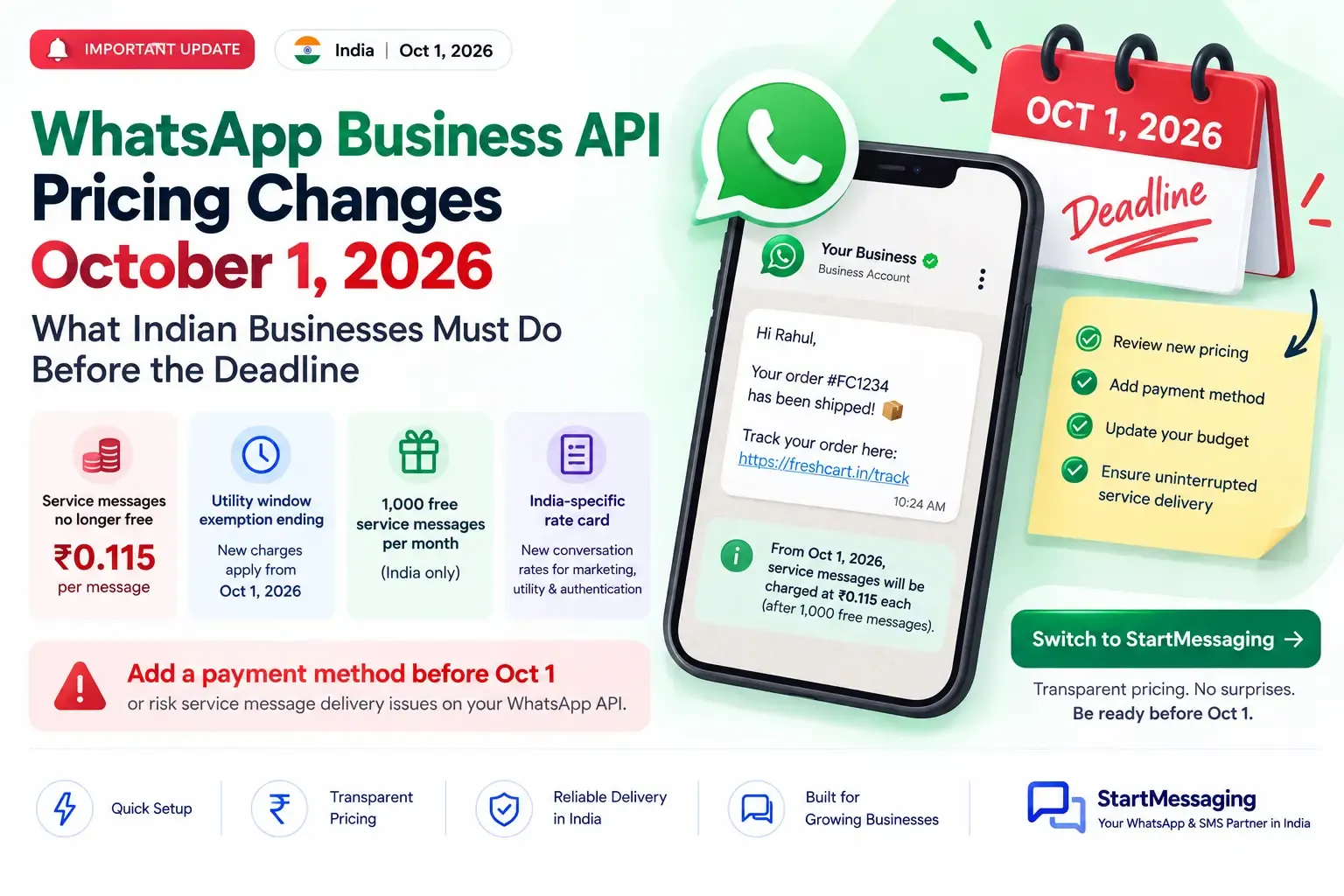
The WhatsApp Business API pricing change on 1 October 2026 makes service messages billable at ₹0.1150 in India. What to fix before the 30 September deadline.
Meera runs customer support for a Jaipur home-furnishings brand that sells on its own site and on marketplaces. Her team handles roughly 12,000 WhatsApp conversations a month — sizing questions, delivery delays, return pickups. On the Meta invoice, the line item covering all those agent replies currently reads ₹0. On 2 November, when the October bill lands, it will not. The WhatsApp Business API pricing change on 1 October 2026 turns two categories of message that have been free into billable ones, and businesses that never added a payment method to Meta may find message delivery simply stops.
This is not a rate increase dressed up as news. It is a change to what counts as billable, and the finance impact lands hardest on exactly the teams that did what Meta encouraged since late 2024: reply to customers inside the 24-hour window.
What Actually Changes on 1 October 2026
Two things change. Everything else about the WhatsApp Business Platform — the 24-hour customer service window, template approval, the category system — works the way it does today.
Service messages become billable after 1,000 free per month
A service message is any free-form, non-template message your business sends to a customer inside an open 24-hour customer service window. That covers an agent typing “Let me check the courier status for you,” a chatbot’s automated “Thanks, we’ve received your query,” and anything a third-party AI assistant sends on your behalf. These have been free since November 2024.
From 1 October 2026, Meta charges for service messages at the same per-message rate it charges for utility and authentication in each market. India’s rate is ₹0.1150 per delivered message. Every business phone number gets 1,000 free service messages per calendar month; billing starts at the 1,001st. The allowance resets monthly and unused messages do not roll over. There are no volume discounts on service messages — the rate is flat whether you send 2,000 or 2,00,000.
Note the unit carefully: the allowance is per business phone number, not per WhatsApp Business Account. A brand running three separate numbers for retail, wholesale and after-sales carries three separate 1,000-message allowances.
Utility templates lose the in-window waiver
Since 1 July 2025, utility templates sent inside an open 24-hour window have been free. That waiver ends on 1 October 2026. An order-confirmation or shipping-update template that costs you nothing today because it went out during an active conversation will be billed at the standard India utility rate of ₹0.1150.
This closes the obvious workaround before anyone tries it. You cannot dodge the service message charge by converting a free-form reply into a utility template — both now cost the same ₹0.1150.
The India Rate Card: What You Pay Per Message
India moved to local-currency billing, so Meta’s India rate card is published in rupees rather than converted from dollars at an unpredictable rate. These are the per-message rates in effect, with service joining the billable list on 1 October.
| Category | Rate per delivered message | When it applies |
|---|---|---|
| Marketing | ₹0.8631 | Promotions, offers, cart nudges, re-engagement |
| Utility | ₹0.1150 | Order confirmations, shipping updates, payment receipts — billable in-window from 1 Oct 2026 |
| Authentication | ₹0.1150 | OTPs and login codes to Indian numbers |
| Authentication-International | ₹2.4971 | Authentication messages that fall under the international rate |
| Service | ₹0.1150 | Free-form replies inside the 24-hour window, after the first 1,000 per number per month |
Two things Indian finance teams should hold on to. First, all of these are exclusive of 18% GST, which is added on your invoice — a ₹0.1150 message effectively costs ₹0.1357. Second, India is not on the list of markets taking a marketing rate increase on 1 October. That round of increases covers Kuwait, Morocco, Mexico, Saudi Arabia, the UAE and a few regional buckets. Your India marketing rate is unchanged; it is the service and utility categories that move.
Meta publishes the authoritative, continuously updated version of this card in the WhatsApp Business Platform pricing documentation. Check it against your own invoice rather than trusting any reseller’s summary, including this one, as the final word on a rate. For the full reference — volume tier tables, BSP markup, GST treatment and the rest — see our WhatsApp Business API pricing guide for India.
What Stays Free After the Deadline
The change is narrower than the headlines suggest, and it helps to know exactly where the free ground still is.
Incoming messages remain free. You are billed only on messages your business delivers, so a customer sending you fourteen messages in a row costs you nothing. The 24-hour customer service window itself still works the same way — each inbound customer message reopens it, and inside it you can still send free-form replies without a template. They are simply metered now.
The 72-hour free entry point survives too. Conversations that begin from a Click-to-WhatsApp ad or a Facebook Page call-to-action button keep their free window, which matters if a meaningful share of your inbound volume comes from paid social. If you run Click-to-WhatsApp campaigns, that traffic is now materially cheaper to service than organic inbound, and it is worth tagging conversations by entry point so you can see the difference in your own numbers.
Working Out Your Own Bill Before It Arrives
Back to Meera. Her team’s 12,000 monthly conversations generate about six outbound free-form messages each — three from the automated greeting-and-triage flow, three from a human agent. That is 72,000 service messages a month against a 1,000-message allowance.
| Line item | Volume/month | Rate | Cost today | Cost from 1 Oct |
|---|---|---|---|---|
| Service messages (free-form) | 72,000 | ₹0.1150 | ₹0 | ₹8,165 |
| Utility templates sent in-window | 15,000 | ₹0.1150 | ₹0 | ₹1,725 |
| Subtotal (excl. GST) | — | — | ₹0 | ₹9,890 |
| With 18% GST | — | — | ₹0 | ₹11,670 |
A line item that read zero becomes roughly ₹11,670 a month, or about ₹1.40 lakh a year. For a brand doing several crore in annual revenue that is survivable. For a seed-stage D2C business running the same support motion on thinner margins, it is the difference between WhatsApp support being free and being a real cost centre that needs a budget owner.
Run the same arithmetic on your own numbers before the invoice does it for you. The two inputs you need are your monthly count of outbound free-form messages and your count of utility templates that currently go out inside an open window. Both are available in your BSP’s message logs or in Meta Business Suite reporting. If your platform cannot separate in-window utility sends from out-of-window ones, raise that with them this week rather than in November.
The 30 September Checklist
The deadline that matters is not 1 October. It is 30 September, because a business with no valid payment method on file when charging begins can have service message delivery stopped rather than merely invoiced. Solution Providers and directly integrated businesses are both in scope, and no grace period has been announced.
Work through this before the end of the month:
- Add or verify a payment method on the WhatsApp Business Account in Meta Business Manager, and confirm the card or bank mandate is not expiring in Q4. A card that expires in November is a November outage.
- Confirm who is billed. If a BSP is billed by Meta and invoices you, the payment method obligation sits with them; if you are directly integrated or self-billed, it sits with you. Get this in writing from your provider now.
- Set a billing threshold and a spend alert so the first metered month does not quietly run past what finance expected.
- Audit your automated flows for messages that were free and are about to cost ₹0.1150 each — auto-acknowledgements, “an agent will be with you shortly” holds, post-resolution satisfaction pings.
- Brief your finance team that a new GST-bearing line item appears on the October invoice, payable in November.
Meera’s team found the expensive part in that fourth item. Their triage bot sent three messages before a human ever joined the chat. Trimming it to a single message with quick-reply buttons cuts 24,000 billable messages a month — ₹2,760 excluding GST, or ₹33,120 a year, for one afternoon of work on the flow builder.
Five Ways to Cut the New Service Message Bill
Billing is per message, not per conversation. That single fact reshapes what good support hygiene looks like.
- Send fewer, fuller messages. An agent who answers in one complete message instead of three fragments cuts that conversation’s cost by two-thirds. Four outbound messages per conversation instead of six takes Meera’s service bill from ₹8,165 to ₹5,405 a month.
- Cut automated filler. Acknowledgement messages, typing-indicator substitutes and “still there?” nudges were harmless when free. Each one is now ₹0.1150 plus GST across every conversation you handle.
- Use quick replies and list messages properly. One interactive message carrying five options is one billable message; five sequential questions are five. Our WhatsApp message template guide covers how to structure these so they still convert.
- Route paid-social traffic through Click-to-WhatsApp. Those conversations keep the 72-hour free entry point, so the same support interaction costs less when it starts from an ad than from an organic inbound message.
- Re-examine your OTP channel honestly. A WhatsApp authentication template at ₹0.1150 is cheaper per message than SMS OTP at ₹0.25 — but it only reaches users who have WhatsApp installed and have opted in, and it fails differently. SMS reaches every handset on Jio, Airtel, Vi and BSNL with no app dependency and no opt-in. Our breakdown of SMS OTP versus WhatsApp OTP covers where each one actually wins, and StartMessaging’s India SMS runs at a flat ₹0.25 per message with no DLT registration to manage.
What none of this should become is a reason to reply less to customers. The teams that will regret October are the ones that respond to a per-message charge by making support harder to reach. A ₹0.1150 message that saves a ₹4,000 return is not a cost problem.
Frequently Asked Questions
Q: What exactly is a WhatsApp service message?
A: It is any free-form, non-template message your business sends to a customer inside the open 24-hour customer service window — whether it comes from a human agent, your own chatbot, or a third-party AI assistant. Template messages are classified separately as marketing, utility or authentication and are billed under those categories.
Q: How many free service messages do I get per month?
A: 1,000 per business phone number per calendar month. Billing starts at the 1,001st delivered service message. The allowance resets every month and unused messages do not carry forward. If you operate several business phone numbers, each one carries its own 1,000-message allowance.
Q: What happens if I have not added a payment method by 30 September 2026?
A: Service message delivery can be stopped when charging begins on 1 October, rather than the messages simply being invoiced later. This applies to directly integrated businesses and Solution Providers alike. If your BSP is billed by Meta and invoices you separately, confirm with them in writing that their payment method is current.
Q: Does the 1 October change increase WhatsApp marketing message rates in India?
A: No. India’s marketing rate stays at ₹0.8631 per delivered message. The 1 October marketing rate increases apply to markets including Kuwait, Morocco, Mexico, Saudi Arabia and the UAE. What changes for India is that service messages become billable and utility templates lose their free status inside the 24-hour window.
Q: Can I avoid the service message charge by sending a utility template instead?
A: No. Utility templates sent inside an open 24-hour window become billable on the same date, at the same ₹0.1150 India rate. Both routes cost identical amounts, so the choice between a free-form reply and a utility template should come down to which communicates better, not to price.
Meera’s October invoice will not be a surprise. Her payment method is verified, her triage bot sends one message instead of three, and her finance lead already knows a ₹9,890-plus-GST line item is coming. That took one afternoon, two weeks before the deadline — which is roughly the window you have left.
StartMessaging passes Meta’s per-message rates through at cost, so what you see on the India rate card above is what you pay, with no per-message markup layered on top. Our WhatsApp Business API pricing and the complete WhatsApp Business API guide lay out how the categories and plans fit together, and the WhatsApp API documentation covers the integration itself. WhatsApp onboarding for Indian businesses is currently sales-assisted while we finalise self-serve provisioning — talk to our team and we will get your account, payment method and category setup sorted before 1 October, rather than after the first metered invoice arrives.
StartMessaging Team
StartMessaging Team