OTP Verification via WhatsApp
Deliver OTPs through WhatsApp for higher delivery rates, end-to-end encryption, and a seamless user experience. Authentication messages are Meta's lowest-cost message category.
✦ No credit card required · Free plan available · Setup in 5 minutes
Why WhatsApp OTPs Over SMS?
WhatsApp OTPs offer significant advantages over traditional SMS: higher delivery rates (especially in markets where SMS spam filtering blocks OTPs), end-to-end encryption for security, one-tap auto-fill on supported devices, and lower cost per message.
- 99%+ delivery rate vs 85-90% for SMS
- End-to-end encryption by default
- One-tap auto-fill on Android
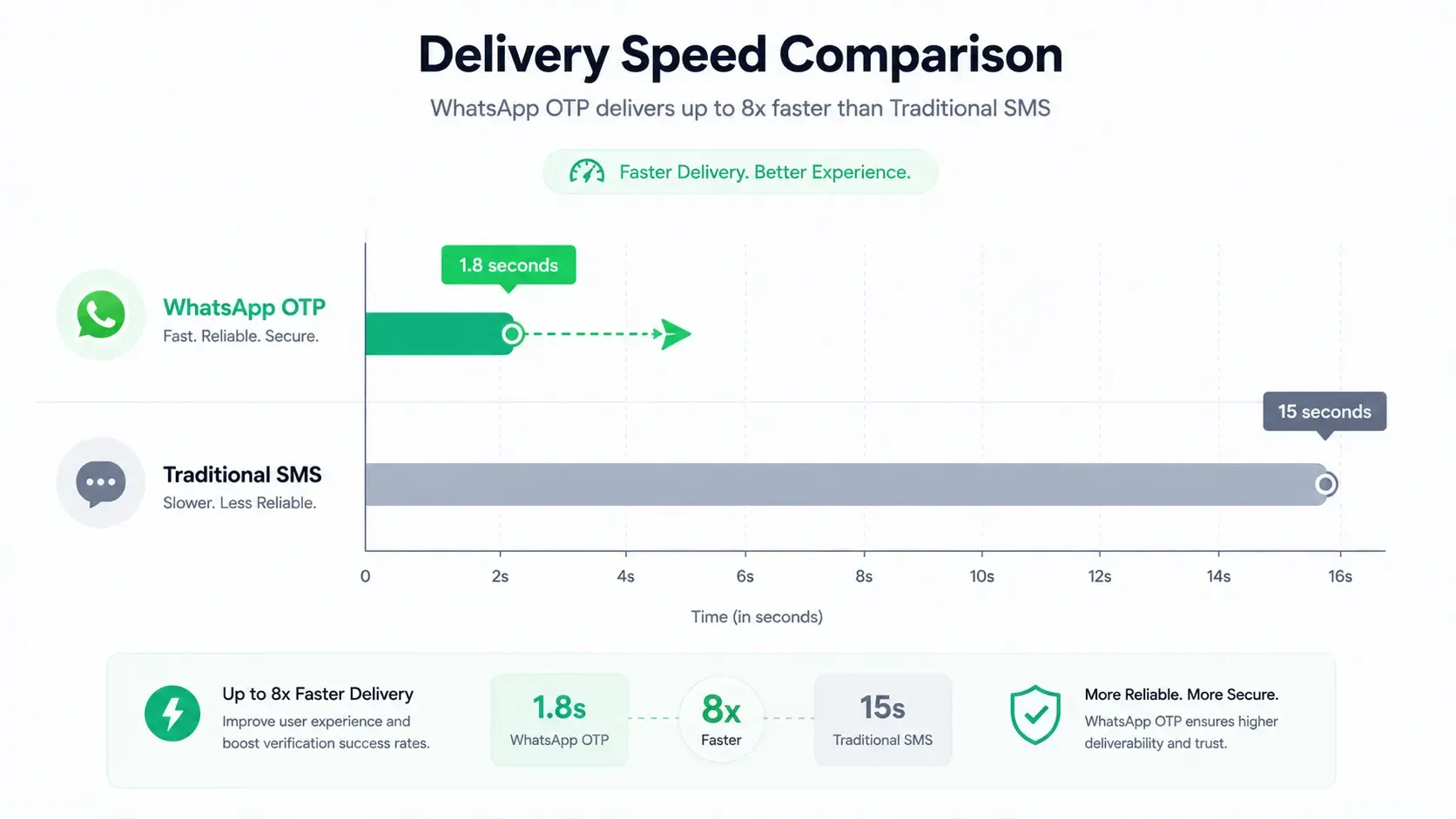
WhatsApp OTP vs. Traditional SMS OTP vs. Authenticator Apps
Compare deliverability, verification speeds, security standards, and cost profiles.
| Metric | WhatsApp OTP | Traditional SMS OTP | Authenticator Apps (TOTP) |
|---|---|---|---|
| Delivery Latency | < 2 seconds | 10 - 30+ seconds | Instant (Local generation) |
| Setup Friction | None (Uses active app) | None (SMS native inbox) | High (Requires app download) |
| One-Tap Auto-fill | ✓ (Supported on Android) | ✓ (Device native permission) | ✗ (Manual code copying) |
| Delivery Success Rate | 99%+ | 82% - 88% (Spam filters) | 100% (No network needed) |
Send a WhatsApp OTP in Seconds
curl -X POST https://api.startmessaging.com/v1/auth/otp \
  -H "Authorization: Bearer YOUR_API_KEY" \
  -H "Content-Type: application/json" \
  -d '{
    "to": "+5511999999999",
    "channel": "whatsapp",
    "code_length": 6,
    "language": "pt"
  }'
const res = await fetch('https://api.startmessaging.com/v1/auth/otp', {
method: 'POST',
headers: {
'Authorization': 'Bearer YOUR_API_KEY',
'Content-Type': 'application/json',
},
body: JSON.stringify({
to: '+5511999999999',
channel: 'whatsapp',
code_length: 6,
language: 'pt',
}),
});
const { request_id } = await res.json();import requests
res = requests.post(
'https://api.startmessaging.com/v1/auth/otp',
headers={'Authorization': 'Bearer YOUR_API_KEY'},
json={
'to': '+5511999999999',
'channel': 'whatsapp',
'code_length': 6,
'language': 'pt',
},
)
request_id = res.json()['request_id']WhatsApp Authentication — FAQ
What's the difference between WhatsApp OTP and SMS OTP?
WhatsApp OTPs are delivered through the WhatsApp app instead of SMS. Key differences: WhatsApp offers end-to-end encryption (SMS does not), higher delivery rates (99%+ vs ~85% for SMS), one-tap auto-fill on Android, and lower cost per message. SMS OTPs are better for users without WhatsApp. Our API supports automatic fallback from WhatsApp to SMS.
Does WhatsApp support one-tap auto-fill?
Yes! On Android devices, WhatsApp authentication messages support a one-tap auto-fill button. When users receive the OTP, they can tap a single button to automatically copy and paste the code into your app — no manual entry needed. This feature significantly reduces friction and increases conversion rates.
Are WhatsApp OTPs compliant with country-specific guidelines?
Yes, our WhatsApp OTP service matches global regulatory standards and works seamlessly with automatic fallback carriers. For example, in India, it operates without DLT registration, but fallback SMS messages do require DLT configuration.
What is the expiration time for WhatsApp OTPs?
By default, OTP codes are valid for 5 minutes. However, you can customize the expiration time (from 1 to 15 minutes) in your API request parameters to fit your application's security policies.
Can I customize the WhatsApp OTP message template?
Yes. Meta requires authentication templates to follow a specific structure (typically containing a one-time passcode parameter and optionally a button). You can set up your brand's templates in our dashboard, and they will be sent to Meta for approval.
Related Pages
Secure Your Users with WhatsApp OTPs
Free plan. Start in 5 minutes.