Transactional Updates via WhatsApp
Order confirmations, shipping tracking, appointment reminders, and payment receipts — delivered instantly through WhatsApp with 98% open rates.
✦ No credit card required · Free plan available · Setup in 5 minutes
High-Priority Transactional Delivery
Ensure your customers receive critical updates exactly when they need them. From real-time order tracking notifications to secure digital receipts and appointment reminders, our utility delivery engine prioritizes transactional packets over standard messages, bypassing network queues for immediate delivery.
- Instant delivery tracking with read-receipt receipts
- Rich media attachments including PDFs and interactive buttons
- High-priority routing directly via official Meta pipelines
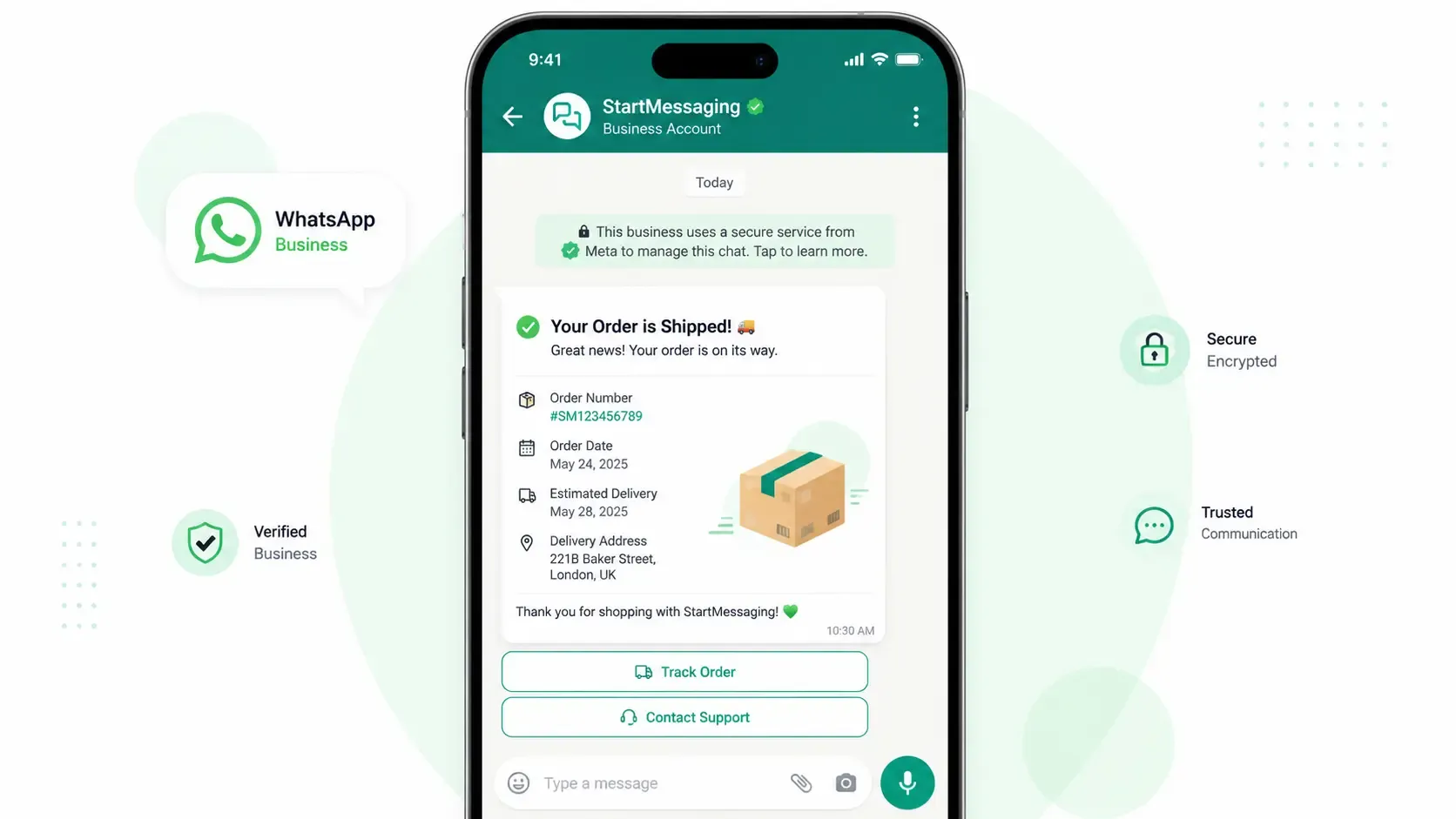
Keep Your Customers Informed
-
Order Updates
Send order confirmations, processing status, and delivery notifications automatically.
-
Shipping Alerts
Real-time shipping tracking updates with live location links and estimated delivery times.
-
Appointment Reminders
Reduce no-shows with automated appointment reminders including confirm/reschedule buttons.
-
Payment Receipts
Send instant payment confirmations and digital receipts with transaction details.
WhatsApp Utility vs. SMS Transactions vs. Email Updates
Compare the delivery success and formatting capabilities for critical transactional messages.
| Capability | WhatsApp Utility | SMS Transactions | Email Updates |
|---|---|---|---|
| Delivery Guarantee | 99%+ (Meta BSP high priority) | 85% - 90% (Carrier spam filters) | 70% - 80% (Promotional sorting) |
| Document Attachments | ✓ (PDF invoices, QR code tickets) | ✗ (Text links only) | ✓ (File attachments) |
| Interactive Buttons | ✓ (Quick-reply / Track order) | ✗ (Static copy) | ✓ (HTML layout tags) |
| Cost Per Conversation | Meta fixed utility rate | Charged per SMS segment | Varies by database size |
Dispatch Transactional Alerts Programmatically
curl -X POST https://api.startmessaging.com/v1/messages \
  -H "Content-Type: application/json" \
  -H "X-API-Key: sm_live_your_api_key_here" \
  -d '{
    "to": "+919876543210",
    "type": "template",
    "template": {
      "name": "shipping_update",
      "language": { "code": "en" },
      "components": [
        {
          "type": "body",
          "parameters": [
            { "type": "text", "text": "Rahul" },
            { "type": "text", "text": "#5521" },
            { "type": "text", "text": "FedEx" }
          ]
        }
      ]
    }
  }'
await fetch("https://api.startmessaging.com/v1/messages", {
method: "POST",
headers: {
"Content-Type": "application/json",
"X-API-Key": "sm_live_your_api_key_here"
},
body: JSON.stringify({
to: "+919876543210",
type: "template",
template: {
name: "shipping_update",
language: { code: "en" },
components: [
{ type: "body", parameters: [{ type: "text", text: "Rahul" }, { type: "text", text: "#5521" }, { type: "text", text: "FedEx" }] }
]
}
})
});Utility Messages — FAQ
What qualifies as a utility message on WhatsApp?
Utility messages are transactional notifications directly related to an existing customer action or request. Examples include order confirmations, shipping updates, appointment reminders, payment receipts, account alerts, and booking confirmations. These messages must be sent using pre-approved templates.
How are utility message costs calculated?
WhatsApp charges for utility messages per 24-hour conversation window. Once a utility message is delivered, a 24-hour session starts, allowing you to send multiple updates in that category to the user without additional costs. Rates are determined by Meta based on the recipient's country code.
Can utility messages include file attachments?
Yes. You can attach PDFs (like invoices or receipts), images (like QR codes or tickets), and other document formats to your utility template messages. These files must be hosted online and passed as media parameters via our API or dashboard.
How long does template approval take for utility messages?
Utility template approvals are managed by Meta and are typically processed automatically within a few minutes. In rare cases, if manual review is triggered, it may take up to 24 hours. Once approved, the template is immediately available to use.
What is the difference between a utility and service message?
Utility messages are business-initiated notifications templates used for transactional updates. Service messages are user-initiated conversations, where a customer messages your business first, starting a 24-hour window where you can reply with free-form messages without templates.
Automate Your Transactional Updates
Free plan. No credit card required.