WhatsApp Blue Tick Verification for Business in India (2026)
How Indian businesses get the WhatsApp blue tick in 2026: Meta Verified vs Official Business Account, eligibility, price, documents and what to do if denied.
Neha runs a skincare brand out of Jaipur that sells on its own website and through WhatsApp. In September, a customer forwarded her a screenshot: someone using her brand name, her logo and a different number was collecting UPI payments for “festive combo offers.” Three customers had already paid. Neha’s real number looked exactly like the fake one in the chat list, because neither had a badge. That afternoon she searched “WhatsApp blue tick verification” and found a dozen agencies promising a tick in 48 hours for a fee. Most of them were wrong about how it works.
This guide explains what the WhatsApp blue tick actually is in 2026, the two separate ways a business can get one, which route fits an Indian business on the WhatsApp Business app and which fits one on the WhatsApp Business API, what each costs, and what to fix when Meta says no. If you only remember one thing: nobody outside Meta can sell you the tick, and the free route has clear, documented rules.
The Green Tick Is Now a Blue Tick
For years, verified businesses on WhatsApp showed a green checkmark. In 2024, WhatsApp switched to a blue checkmark, the same badge style Meta uses on Facebook and Instagram. Every guide that still talks about “applying for the green tick” is describing the same badge under its old colour, so you can treat “green tick verification” and “blue tick verification” as one search.
The badge appears next to the business name in chats, in the business profile and in WhatsApp search results. For a customer, it answers one question: is this number really the brand it claims to be? That is exactly the question Neha’s customers could not answer when the impersonator messaged them.
What the blue tick does not do
The tick is a trust signal, not a delivery upgrade. It does not raise your messaging limits, lower Meta’s per-message charges, or make Meta approve your templates faster. Those depend on business verification, quality and the category of each template, which we cover in our guide to WhatsApp Business API messaging limits. Agencies that bundle “blue tick plus unlimited broadcasts” are selling two unrelated things as one.
Two Routes to the Badge: Meta Verified and Official Business Account
Here is where most of the confusion comes from. The same blue badge is reached in two different ways, depending on how your business uses WhatsApp.
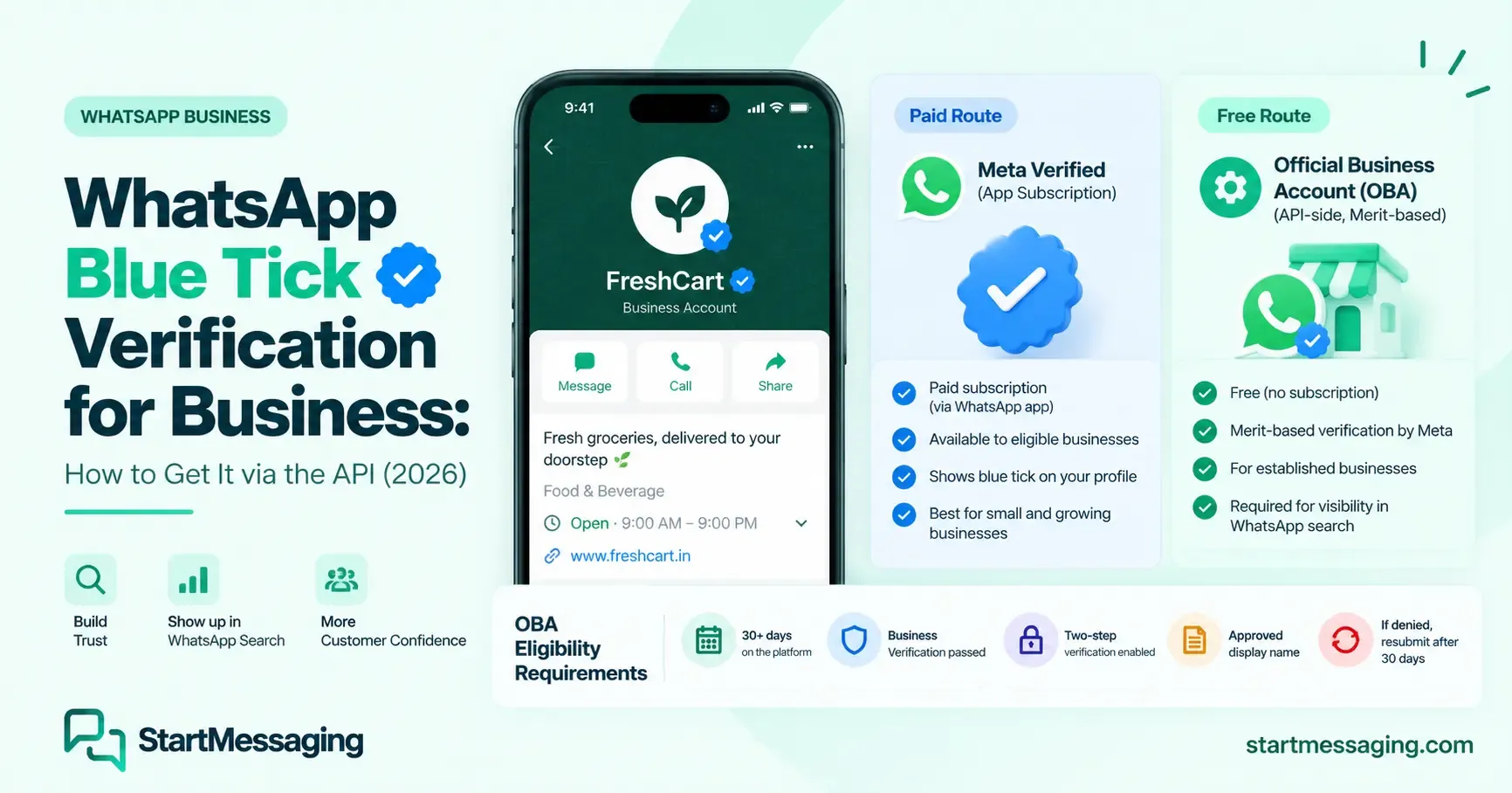
| Meta Verified for Business | Official Business Account (OBA) | |
|---|---|---|
| Where you use WhatsApp | WhatsApp Business app on a phone | WhatsApp Business Platform (API), through a provider |
| How you get it | Paid monthly subscription bought in the app | Free request reviewed by Meta |
| What Meta checks | Identity of the business and the account | Business Verification, platform history and notability of the brand |
| Cost in India | Reported at ₹639 a month at its 2024 India launch | No fee |
| Extras | Impersonation protection, custom WhatsApp page, extra linked devices | Badge and discoverability in WhatsApp search |
Meta Verified for Business (the app route)
Meta Verified is a subscription for businesses that run WhatsApp on a phone with the WhatsApp Business app. Meta launched it for WhatsApp businesses in India in 2024, with reported pricing starting at ₹639 a month. You buy it inside the app, Meta verifies your identity, and the badge appears on your profile. The subscription also adds account protection against impersonation and support from Meta. Prices and features change, so check the current offer in Settings → Meta Verified in the WhatsApp Business app before you budget for it.
This route suits a business like Neha’s was in its first year: one phone, one owner replying to customers, no integration with a website or order system.
Official Business Account (the API route)
A number connected to the WhatsApp Business Platform, which is what you use through an API provider such as StartMessaging, gets the badge as an Official Business Account. There is no subscription. You submit a request, Meta reviews it, and the badge is granted or denied.
Meta’s Official Business Account documentation lists the requirements:
- The business follows the WhatsApp Business Messaging Policy.
- The business has been on the WhatsApp Business Platform for at least 30 days.
- The business portfolio that owns the number has passed Business Verification.
- Two-step verification is turned on for the number.
- The number’s display name is approved.
Employee accounts, test numbers and WhatsApp Business app numbers can’t become Official Business Accounts. Meta’s documentation also notes a practical benefit: numbers without OBA status don’t appear in WhatsApp search results unless the user has saved them.
Who Actually Qualifies for the Official Business Account
The five requirements above are the floor, not a guarantee. Meta also looks at whether the brand is notable: whether people are likely to search for it and whether it is the kind of business impersonators would target. In practice, providers report that Meta looks for coverage of the brand in established news publications, and that paid, sponsored or self-published articles don’t count.
This is the step where Neha’s first request failed. Her brand had 40,000 Instagram followers and strong sales, but almost no independent press coverage. Meta denied the request, and the rejection said nothing about followers or revenue, because Meta doesn’t measure either.
Business Verification for Indian companies
Business Verification happens in Meta Business Manager (Security Center), not in WhatsApp. Meta checks that your business portfolio belongs to a real, registered business. For Indian businesses, providers commonly report these documents being accepted:
- Certificate of Incorporation (for companies and LLPs)
- GST registration certificate
- Udyam (MSME) registration certificate
- Shop and Establishment licence
The details that cause most rejections are boring ones: the legal name in Business Manager doesn’t match the document exactly, the address uses a different format, or the phone number on the document doesn’t match. Meta lets you confirm ownership by a code to a business phone number or email, or by verifying your website domain, so a website helps but isn’t the only path. Meta’s accepted document list changes, so use the list Business Manager shows you on the day you apply.
Business Verification matters beyond the badge. It is also one of the ways to raise your messaging limit from 250 to 2,000 unique customers a day, so do it even if the blue tick isn’t your goal yet.
How to Request the Blue Tick for an API Number
Once the requirements are in place, the request itself takes a few minutes.
Step-by-step in WhatsApp Manager
- Open WhatsApp Manager and go to Account tools → Phone numbers.
- Select the number. If two-step verification is off, turn it on. On StartMessaging, the 6-digit PIN you set when you connected your number is that two-step verification PIN.
- Open the number’s Profile tab and find Official business account.
- Click Submit request and add links that show the brand is notable: news articles about the business, not your own website or social pages.
- Submit and wait. Meta reviews each request; there is no way to speed it up.
You can also read the request status through the Graph API by requesting the official_business_account field on the phone number. If the option doesn’t appear in WhatsApp Manager even though you meet the requirements, contact your provider’s support or Meta Support.
Before you submit: a short checklist
- Business Verification shows Verified in Business Manager.
- The number has been on the platform for 30 days or more.
- The display name is approved and matches your brand name customers know.
- The business profile is complete: logo, description, email, website and address.
- You have 2–5 links to independent coverage of the brand.
On StartMessaging, the Connect page shows business verification status, quality rating and messaging limit pulled live from Meta, so you can confirm the first item without opening Business Manager.
When Meta Says No
Denials are common, and they are not permanent. Meta’s documentation says you can submit a new request 30 days after a denial. Use those 30 days to fix the actual gap:
- Notability: this is the usual reason. Earn coverage in independent publications, such as a feature in a regional business paper, an industry trade site or a startup news outlet. Press releases on paid distribution sites don’t help.
- Mismatched details: align the legal name, display name and website so a reviewer can tell they are the same business.
- Policy issues: if your quality rating has been low or templates have been paused, fix that first. A request from a number customers keep blocking won’t be approved.
A denial doesn’t limit anything else. You can still fill in the business profile: photo, description, email, website and address. Customers who save your number will see your display name, and you can link the number from your website so customers know it’s real.
Agencies that “guarantee” a blue tick
Be careful with anyone who charges a fee and promises approval. They can help you prepare documents and the request, which is legitimate work, but only Meta decides. Never share your Business Manager admin access, two-step verification PIN or WhatsApp registration codes with them. That is exactly the access an impersonator needs.
Is the Blue Tick Worth It for Your Business?
For a consumer brand that customers pay over WhatsApp, the badge pays for itself the first time it stops a fake number. Neha’s impersonation problem is common in India around festive sales, where scammers copy a brand’s logo, name and offer graphics. A badge doesn’t stop someone creating a fake number, but it gives customers a simple rule: if there’s no blue tick, it isn’t us.
For a B2B company sending order updates to a few hundred known clients, the badge matters less. Those clients already have your number saved and know your team. Spend the effort on Business Verification and template quality first.
| Your situation | Best route |
|---|---|
| One phone, owner-run, no integrations | Meta Verified subscription in the WhatsApp Business app |
| Team inbox, automation, campaigns or API integration | Official Business Account on the API |
| Brand with little press coverage yet | Complete Business Verification now; request OBA once you have coverage |
| Brand being impersonated today | Report the fake numbers in WhatsApp, warn customers on your site and socials, and start Business Verification |
If you are still choosing between the app and the API, our comparison of the WhatsApp Business app vs the WhatsApp Business API walks through cost, broadcast limits and team features.
Frequently Asked Questions
Q: How much does the WhatsApp blue tick cost in India?
A: The Official Business Account badge for API numbers is free; Meta reviews a request and charges nothing. Meta Verified, the subscription for the WhatsApp Business app, was reported at ₹639 a month at its 2024 India launch; check the current price in the app.
Q: Can I get WhatsApp blue tick verification for free?
A: Yes, through an Official Business Account if your number is on the WhatsApp Business Platform. You need Business Verification, 30 days on the platform, two-step verification, an approved display name and enough independent press coverage to show the brand is notable.
Q: Is the WhatsApp green tick the same as the blue tick?
A: Yes. WhatsApp changed the verified business badge from green to blue in 2024 to match Facebook and Instagram. Guides about the green tick describe the same verification.
Q: Does business verification give me the blue tick automatically?
A: No. Business Verification proves your business is registered and is one requirement for the badge, but Meta also checks notability before granting an Official Business Account. Business Verification also helps you raise your messaging limit from 250 to 2,000 customers a day.
Q: How long after a rejection can I apply again?
A: Meta lets you submit a new Official Business Account request 30 days after a denial. Use that time to fix the reason, which is most often a lack of independent press coverage.
Neha’s second request went in 40 days after the first, with links to two features in regional business publications and a display name that finally matched her legal entity. It was approved. The fake number still exists, but her customers now check for the tick before they pay. If you are moving your WhatsApp to the API so your team can share one verified number, you can start a 14-day free trial of StartMessaging, connect your own WhatsApp Business Account and track your verification status from the Connect page. See WhatsApp CRM plans for what each plan includes.
StartMessaging Team
StartMessaging Team