WhatsApp Broadcast Limit Per Day: API Messaging Limits (2026)
WhatsApp Business API messaging limits explained for India: the 250, 2K, 10K, 100K and unlimited tiers, portfolio-level limits, quality rating and how to scale.
Rohit runs growth for a Surat saree brand with 38,000 customers who opted in to WhatsApp updates. For the Diwali sale, he scheduled one campaign to all of them at 10 AM, moved over from the WhatsApp Business app to the API the week before. By 10:20 the campaign had stopped. 250 customers got the offer. The other 37,750 got nothing, and the error log said only that a daily limit had been reached. Rohit’s first search was “whatsapp broadcast limit per day.” His second was “how to increase whatsapp messaging limit fast.” The honest answer to the second one is that there is no fast way, only a predictable one.
This guide covers how WhatsApp’s messaging limits work on the API in 2026: what the 250, 2,000, 10,000, 100,000 and unlimited tiers count, why the limit is now shared across all your numbers, what quality rating does to it, and how to plan a large campaign so it doesn’t stall the way Rohit’s did. Every rule here comes from Meta’s messaging limits documentation, which changed significantly in October 2025.
What the WhatsApp Messaging Limit Actually Counts
The most common misunderstanding is that the limit caps messages. It doesn’t. It caps unique customers your business can start conversations with in a moving 24-hour period, using messages sent outside a customer service window.
Three details in that definition matter:
- Unique customers, not messages. Sending three template messages to the same customer in a day uses one slot, not three.
- Outside a customer service window. When a customer messages you, a 24-hour customer service window opens. Your replies inside that window don’t use the limit. Only business-initiated messages to customers who haven’t written to you recently count.
- Moving 24 hours, not a calendar day. The limit doesn’t reset at midnight. A slot you used at 10 AM on Monday frees up at 10 AM on Tuesday.
So when people search “whatsapp broadcast limit per day,” what they are hitting on the API is this messaging limit. On the WhatsApp Business app, a “broadcast limit” is something different: lists of up to 256 contacts who have saved your number. Our WhatsApp Business app vs API comparison covers the app side.
The tiers in 2026
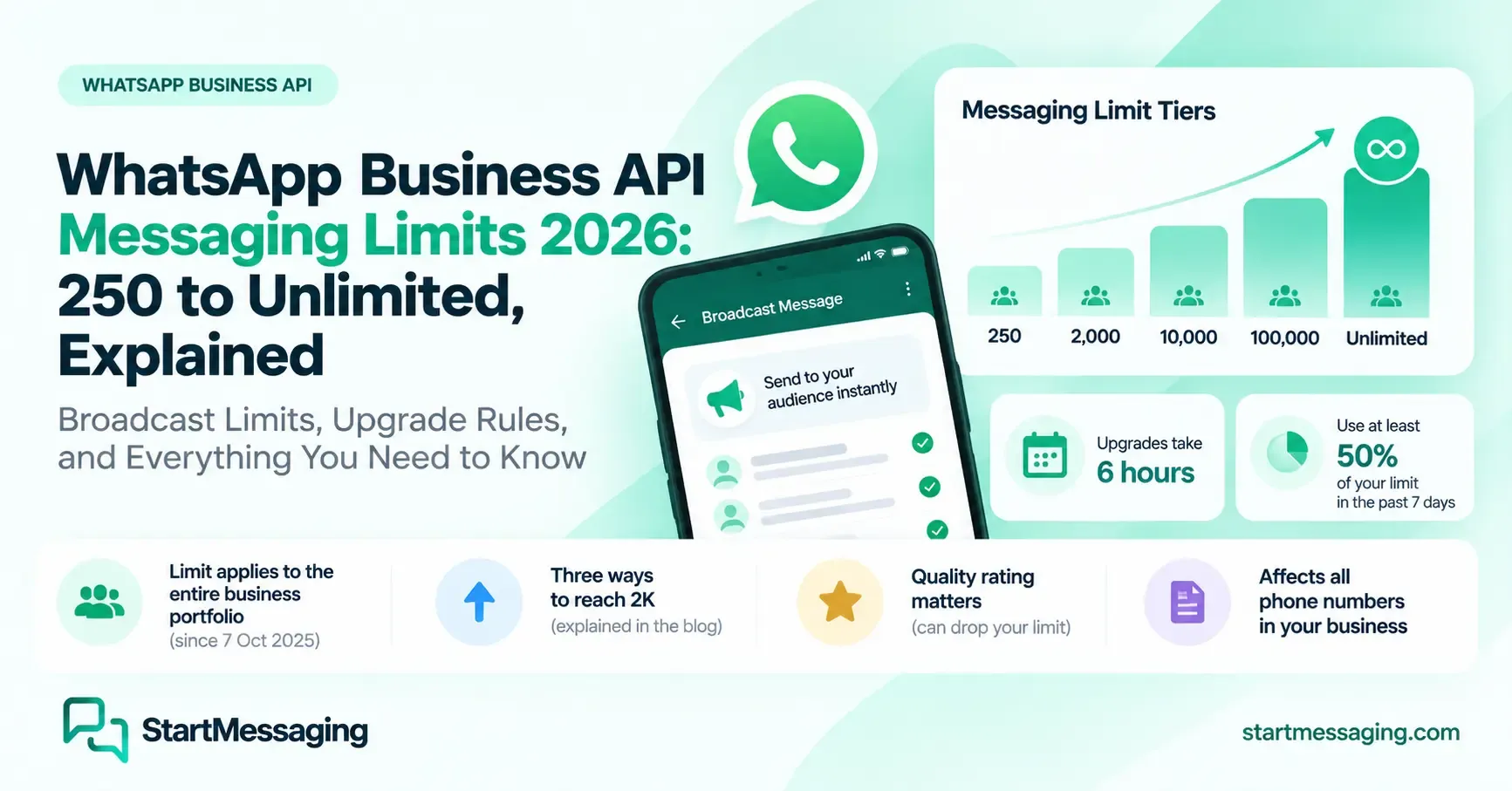
| Tier | Unique customers per moving 24 hours | How you get there |
|---|---|---|
| Starting | 250 | Every new business portfolio starts here |
| Level 1 | 2,000 | Business Verification, or a quality-reviewed history of sends |
| Level 2 | 10,000 | Automatic scaling |
| Level 3 | 100,000 | Automatic scaling |
| Unlimited | No cap | Automatic scaling |
Some provider blogs reported that the 2,000 and 10,000 tiers would be removed in 2026. Meta’s current documentation still lists 250, 2,000, 10,000, 100,000 and unlimited, so plan around those.
The October 2025 Change: Limits Now Belong to the Portfolio
Until October 2025, each phone number had its own limit. Since 7 October 2025, Meta calculates the messaging limit at the business portfolio level, and every number in the portfolio shares it. When the change rolled out, each portfolio got the highest limit any of its numbers had.
This changed two common strategies.
Adding numbers no longer adds capacity
Before, a team stuck at 1,000 per number would add a second and third number to send 3,000 a day. That no longer works. Three numbers in one portfolio share one limit. If one number uses the full allowance on a campaign, your support number can’t start new conversations until slots free up.
New numbers start at full capacity
The upside: a new number added to a portfolio that has already reached 10,000 gets 10,000 immediately. You no longer need to warm up each number from 250. Meta also says upgrades now happen within 6 hours instead of 24.
This is also why the limit shows as the same value on every number on StartMessaging’s Connect page and in GET /api/v1/phone-numbers: it is one portfolio limit, reported on each number.
How to Move from 250 to 2,000
The first step up is the one most Indian businesses get stuck on, because it doesn’t happen on its own. Meta gives three paths to 2,000:
- Verify your business in Meta Business Manager (Security Center).
- Have your partner verify your business, if a solution provider onboarded you and offers this.
- Send 2,000 delivered messages outside customer service windows to unique customers within a moving 30-day period, using high-quality templates. Meta then reviews message quality and approves or denies the increase.
For most businesses, Business Verification is the shortest path. Indian businesses commonly verify with a GST certificate, Udyam registration, Certificate of Incorporation or Shop and Establishment licence, and the legal name and address must match Business Manager exactly. The same verification is a requirement for the WhatsApp blue tick, so it does double duty.
This is where Rohit went wrong. His team had moved to the API in a hurry before Diwali without completing Business Verification. They were sending at 250 because nobody had submitted the documents, and the 30-day organic path was useless with a sale starting that morning.
Scaling Beyond 2,000: Quality and Usage
From 2,000 upwards, Meta scales your limit automatically. Two conditions must both be true:
- Quality: your messages across all numbers and templates are high quality. Meta’s automatic scaling requires a quality rating of Medium or High.
- Usage: in the last 7 days, you used at least half of your current limit.
When both hold, Meta raises the limit by one level, within 6 hours. When they don’t, the limit stays where it is, and Meta sends an account_alerts webhook explaining why. An upgrade arrives as a business_capability_update webhook with the new limit.
The usage rule catches a lot of businesses. A brand that sends one large campaign a month at 2,000 and nothing in between never uses half its limit in any 7-day window, so it never scales. Regular, smaller sends to engaged customers grow the limit faster than one big blast.
What quality rating does now
Quality rating is Meta’s view of how customers react to your messages: High (green), Medium (yellow) or Low (red). It drops when customers block you, report you or ignore your messages. When it reaches Low, the number is flagged.
Under the current rules, Meta says a drop in quality does not downgrade your messaging limit. Older guides describe a 7-day flagged period that cuts your tier by one level; that rule predates the October 2025 change. But a low rating still costs you: you can’t scale while flagged, Meta can pause individual templates with poor quality, and continued low quality can lead to restrictions on the account.
The fixes are not technical. Send only to people who opted in, keep marketing frequency reasonable, make every message relevant to the person receiving it, and give an easy way to stop. Our WhatsApp template tips cover the wording side.
Other Limits That Look Like the Messaging Limit
When a send fails, the messaging limit isn’t always the cause. Four other limits can stop messages:
| Limit | What it caps | What you see |
|---|---|---|
| Meta messaging limit | Unique customers per moving 24 hours, per portfolio | Sends refused once the limit is used |
| Meta per-customer marketing limit | How many marketing messages one person receives from businesses | That customer’s marketing message isn’t delivered |
| Meta throughput | Messages per second per number | Throttling during very fast bursts |
| Your provider’s plan limit | API requests and sends per hour on your plan | Rate-limit errors from the provider |
On StartMessaging, these map to distinct API errors, which helps you tell them apart. A WhatsApp-side limit on the sending number returns 429 PHONE_DAILY_LIMIT_REACHED. Meta’s per-customer marketing limit returns 422 MESSAGE_UNDELIVERABLE. Your own plan’s limit returns 429 RATE_LIMIT_EXCEEDED with an exact Retry-After. The full mapping is in Errors & Limits.
Planning a Large Campaign Within Your Limit
The practical answer to “how do I message 38,000 customers” depends on your tier. At 10,000, it’s four days. At 100,000, it’s one morning. At 250, it’s five months, which is why verification comes before the campaign, not after.
Check your limit before you send
You can read your current limit and quality from the API. On StartMessaging, GET /api/v1/phone-numbers needs no scope and returns each sender number with Meta’s values:
// check-limit.js — run before scheduling a big send
const res = await fetch('https://waba-api.startmessaging.com/api/v1/phone-numbers', {
  headers: { Authorization: `Bearer ${process.env.SM_API_KEY}` },
});
const { data } = await res.json();

for (const n of data.items) {
  // messagingLimitPerDay: -1 means unlimited, null means Meta hasn't reported it
  const limit = n.messagingLimitPerDay === -1 ? 'unlimited' : n.messagingLimitPerDay;
  console.log(n.displayPhoneNumber, n.status, n.qualityRating, limit);
}
The limit is the same on every number in the portfolio, so read it once. A qualityRating of unknown means Meta hasn’t rated the number yet, which isn’t the same as healthy.
Split the audience across days
If your audience is bigger than your limit, send in batches and prioritise. Customers who bought in the last 90 days or who clicked your last campaign go first; they are the most likely to engage, which protects your quality rating and helps you scale.
// Send one day's batch, stopping cleanly when WhatsApp's limit is reached.
async function sendBatch(customers, dailyLimit) {
  const batch = customers.slice(0, dailyLimit);
  for (let i = 0; i < batch.length; i++) {
    const c = batch[i];
    const res = await fetch('https://waba-api.startmessaging.com/api/v1/messages', {
      method: 'POST',
      headers: {
        Authorization: `Bearer ${process.env.SM_API_KEY}`,
        'Content-Type': 'application/json',
        // Same key on a retry means WhatsApp never gets the offer twice.
        'Idempotency-Key': `diwali-2026-${c.id}`,
      },
      body: JSON.stringify({
        to: c.phone,
        type: 'template',
        template: { name: 'diwali_offer', language: 'en', parameters: [{ text: c.firstName }] },
      }),
    });
    if (res.status === 429) {
      const { error } = await res.json();
      if (error.code === 'PHONE_DAILY_LIMIT_REACHED') return { sent: i }; // resume from here tomorrow
      // RATE_LIMIT_EXCEEDED is your plan's hourly budget: wait, then retry this customer.
      await new Promise((r) => setTimeout(r, Number(res.headers.get('Retry-After')) * 1000));
      i--;
    }
  }
  return { sent: batch.length };
}
If you’d rather not write this yourself, StartMessaging’s campaigns run a pre-launch check that shows how many people can receive a campaign today within your messaging limit, retry recipients Meta asks to try later, and respect quiet hours so offers never land at night.
Frequently Asked Questions
Q: What is the WhatsApp broadcast limit per day on the Business API?
A: It depends on your tier: 250, 2,000, 10,000 or 100,000 unique customers in a moving 24-hour period, or unlimited. It counts unique customers you start conversations with, not individual messages, and replies inside an open 24-hour customer service window don’t count.
Q: How do I increase my WhatsApp messaging limit from 250?
A: Complete Business Verification in Meta Business Manager, have your provider verify you if they offer it, or send 2,000 delivered messages to unique customers within 30 days using high-quality templates. Business Verification is usually the fastest of the three.
Q: Does adding more phone numbers increase my WhatsApp messaging limit?
A: No. Since 7 October 2025, the limit is set per business portfolio and shared by every number in it. A new number added to the portfolio gets the portfolio’s current limit straight away.
Q: Will a low quality rating lower my messaging limit?
A: Under Meta’s current rules, a quality drop doesn’t downgrade the limit, but a number with a Low rating is flagged and can’t scale until quality recovers. Meta can also pause low-quality templates.
Q: Is there a monthly WhatsApp broadcast limit on the API?
A: Meta’s messaging limit is a moving 24-hour limit, not a monthly one. Monthly caps you may see come from your provider’s plan, such as the number of API messages included each month, or from the WhatsApp Business app.
Rohit’s Diwali campaign restarted three days later. The team submitted Business Verification with the company’s GST certificate that afternoon, reached 2,000 once Meta approved it, and sent in daily batches to the most recent buyers first. Within a week of steady, well-received sends the portfolio was at 10,000, and the next sale went out to the full list in four days without a single stalled send. If you’re planning your own move to the API, you can start a 14-day free trial of StartMessaging and see your messaging limit and quality rating on the Connect page before your first campaign. WhatsApp CRM plans start free for developers.
StartMessaging Team
StartMessaging Team