A WhatsApp REST API and Webhooks Built for Integrations
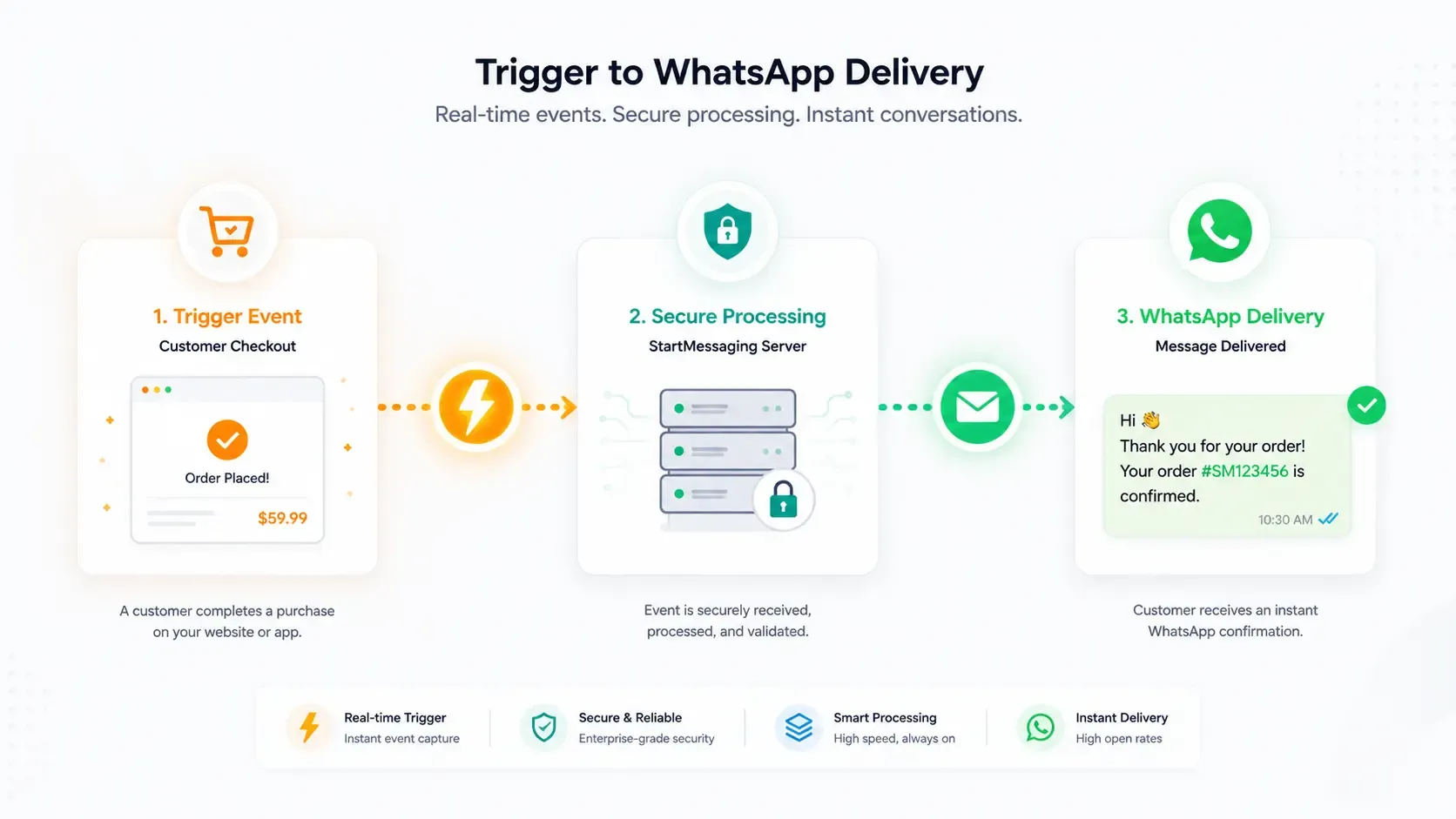
Send templates and messages, sync contacts, tags and conversations, and get a signed webhook for every reply and delivery receipt. Plain REST at /api/v1 with scoped API keys, on the official WhatsApp Business Platform. No SDK to install. The API is on every plan, from Developer Free with 100 API messages a month.
✦ 14-day free trial · Your own WhatsApp Business number · Meta bills messages directly
One REST API for Your Whole WhatsApp CRM
Authenticate with a workspace API key (Authorization: Bearer sm_live_…) and call /api/v1. Send template, text, media and interactive messages; upsert and tag contacts; read tags, pipeline stages, templates and campaigns; list, assign and resolve conversations; manage webhook endpoints; and report sales as conversions. Every success uses the same {data, meta} envelope, and every error a stable code you can branch on.
- Keys created in Developers → API keys and shown once
- 10 scopes, with Full access, Send only, Read only and Custom presets
- Message charges billed by Meta to your own WhatsApp Business Account; the API never charges per message
Signed Webhooks You Can Trust
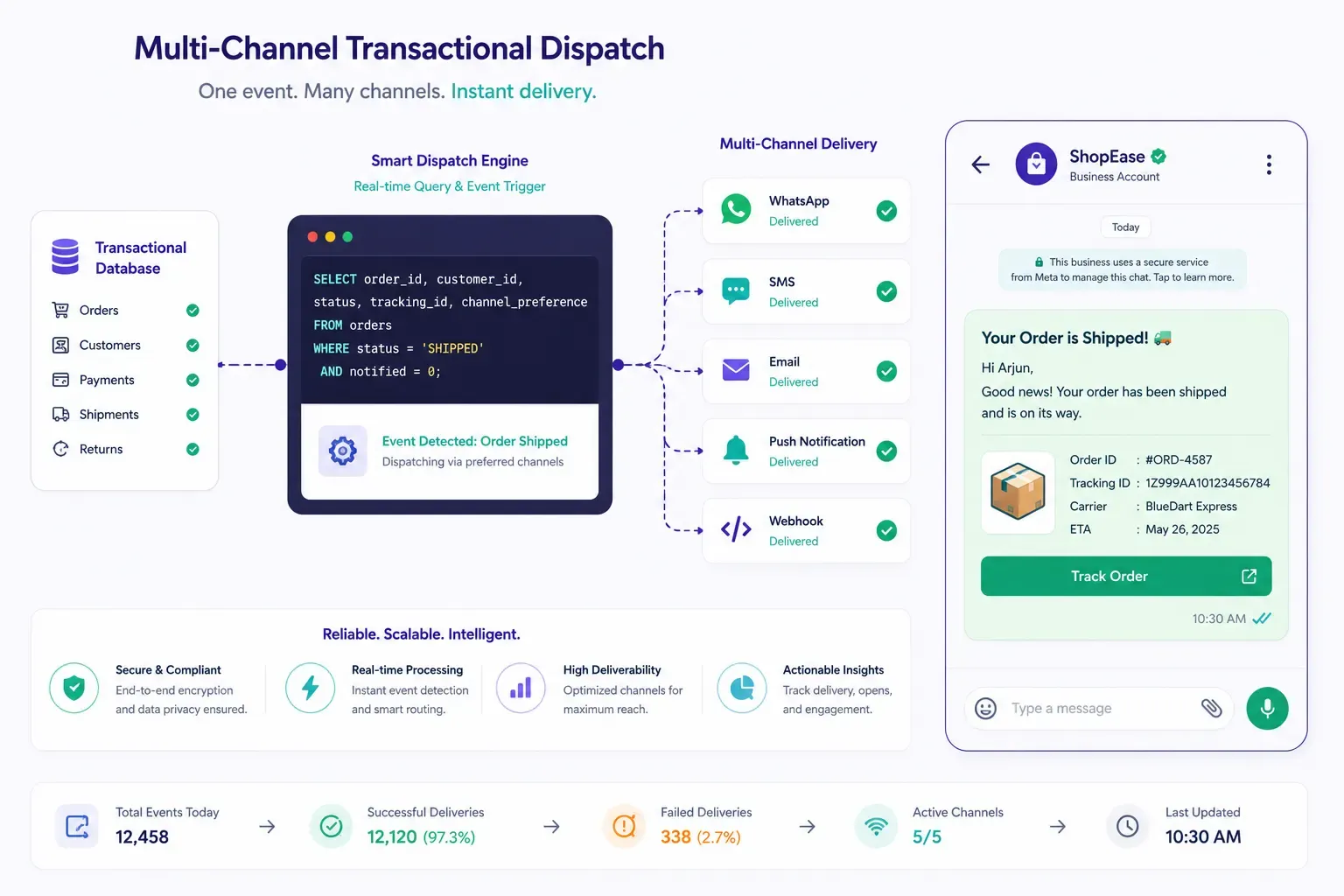
Subscribe an HTTPS endpoint to any of 12 events: messages received, sent, delivered, read and failed; contacts created, opted out and opted in; conversations assigned and resolved; template status changes; and finished campaigns. Every delivery is signed with HMAC-SHA256 in the X-SM-Signature header, retried after 1m, 5m, 30m, 2h, 6h and 12h, and listed in a delivery log where you can redeliver it.
- Delivered at least once: deduplicate on the event id
- Endpoints that keep failing (50 in a row, or for 24 hours) are turned off and flagged
- Rotate the signing secret with a 24-hour overlap
The Details Integrations Depend On
-
Idempotent sends
Send an Idempotency-Key on a POST. The same key and body within 24 hours returns the original response with Idempotent-Replayed: true, so a retry never sends twice.
-
Cursor pagination and sync
Lists take limit (1–100) and cursor and return nextCursor. On contacts and conversations, updatedSince returns only what changed, oldest first, for incremental sync.
-
Your own references
Add a clientReference such as your order id to a send. It comes back on the response, on GET /messages/{id} and on every sent, delivered, read and failed webhook.
-
Least-privilege keys
Give each integration its own key with only the scopes it needs. A webhook created with a key receives an event family only while that key holds its read scope.
-
Request and delivery logs
See the last 500 API requests from the past 7 days in the dashboard, filtered by key or errors only, and redeliver any webhook from its endpoint's delivery log.
-
OpenAPI reference
An OpenAPI JSON document at /api/v1/openapi.json and Swagger UI at /api/v1/docs, with each operation's scope listed as x-scope. The same reference is in the dashboard under Developers.
What the API Covers
All paths are under /api/v1. Creating templates and campaigns is dashboard-only for now: the API reads them, and sends approved templates one message at a time.
| Resource | Endpoints | Scope | What it does |
|---|---|---|---|
| Account | GET /me, GET /phone-numbers | Any valid key | Workspace, plan, key scopes, limits and live usage; your numbers with quality rating and messaging limit |
| Messages | POST /messages, GET /messages/{id} | messages:send, messages:read | Template (carousels and limited-time offers included), text, image, video, audio, document and interactive messages (interactive needs Team or Business); status, failure reason and Meta’s pricing category |
| Contacts | GET/POST /contacts, GET/PATCH/DELETE /contacts/{idOrPhone} | contacts:read, contacts:write | Upsert by phone number, tags, custom attributes, opt-in and opt-out; putting a contact in a pipeline stage needs Business |
| Tags and pipeline | GET /tags, GET /pipeline-stages | contacts:read | Tags with contact counts; your lead pipeline stages |
| Templates | GET /templates, GET /templates/{id} | templates:read | Read-only: templates are created in the dashboard and reviewed by Meta |
| Conversations | GET /conversations, GET /conversations/{id}, GET /conversations/{id}/messages, PATCH /conversations/{id} | conversations:read, conversations:write | Message history and windowOpen; assign, unassign, resolve and reopen (reading works on every plan; changes need Team or Business) |
| Campaigns | GET /campaigns, GET /campaigns/{id} | campaigns:read | Read-only stats; campaigns are created and launched in the dashboard |
| Conversions | POST /conversions | conversions:write | Report a sale so the campaign that brought the customer gets the credit (Business) |
| Webhooks | GET/POST /webhooks, DELETE /webhooks/{id} | webhooks:manage | Subscribe and unsubscribe endpoints (REST hooks) |
API Limits by Plan
Counted per workspace, not per key. Counted responses carry RateLimit-* headers and every 429 carries Retry-After. API messages a month count only messages sent through the API; past the allowance a send gets 402 PLAN_MESSAGE_LIMIT_REACHED. Meta’s own messaging limit for your number still applies.
| Plan | Requests / minute | API sends / hour | API messages / month | Webhook endpoints |
|---|---|---|---|---|
| Free trial (14 days) | 300 | 100 | 1,000 | 5 |
| Developer Free | 60 | 2,000 | 100 | 2 |
| Developer 1K | 120 | 10,000 | 1,000 | 2 |
| Developer 10K | 300 | 10,000 | 10,000 | 2 |
| Developer 100K | 1,200 | 10,000 | 100,000 | 2 |
| Team | 300 | 10,000 | Unlimited (fair use) | 1 |
| Business | 1,200 | 10,000 | Unlimited (fair use) | 5 |
Just the API? Pick a Developer Size
Developer plans are the API with a view-only dashboard: 1 seat, 2 webhook endpoints and the API messages a month shown here. Prices include GST, and a year costs ten months. Paid sizes never stop authentication templates.
| Plan | Price / month | API messages / month | Requests / minute |
|---|---|---|---|
| Developer Free | ₹0 | 100 | 60 |
| Developer 1K | ₹100 | 1,000 | 120 |
| Developer 10K | ₹499 | 10,000 | 300 |
| Developer 100K | ₹999 | 100,000 | 1,200 |
Check your key, then send a template
GET /me needs no scope. The send needs messages:send and an approved template.
# 1. Check your key: workspace, plan, scopes, limits and usage
curl https://waba-api.startmessaging.com/api/v1/me \
  -H "Authorization: Bearer sm_live_your_api_key"

# 2. Send an approved template, safe to retry with the same Idempotency-Key
curl -X POST https://waba-api.startmessaging.com/api/v1/messages \
  -H "Authorization: Bearer sm_live_your_api_key" \
  -H "Content-Type: application/json" \
  -H "Idempotency-Key: order-10421-ready" \
  -d '{
    "to": "+919812345678",
    "type": "template",
    "template": {
      "name": "order_ready_for_pickup",
      "language": "en_US",
      "parameters": [
        { "text": "Asha" },
        { "text": "10421" }
      ]
    },
    "clientReference": "order-10421"
  }'
const API = 'https://waba-api.startmessaging.com/api/v1';
const auth = { Authorization: 'Bearer sm_live_your_api_key' };
// 1. Check your key
const me = await fetch(`${API}/me`, { headers: auth }).then((r) => r.json());
console.log(me.data.plan.code, me.data.apiKey.scopes, me.data.limits);
// 2. Send an approved template, safe to retry with the same Idempotency-Key
const res = await fetch(`${API}/messages`, {
method: 'POST',
headers: {
...auth,
'Content-Type': 'application/json',
'Idempotency-Key': 'order-10421-ready',
},
body: JSON.stringify({
"to": "+919812345678",
"type": "template",
"template": {
"name": "order_ready_for_pickup",
"language": "en_US",
"parameters": [
{ "text": "Asha" },
{ "text": "10421" }
]
},
"clientReference": "order-10421"
}),
});
const { data } = await res.json();
console.log(data.id, data.status, res.headers.get('Idempotent-Replayed'));import requests
API = 'https://waba-api.startmessaging.com/api/v1'
AUTH = {'Authorization': 'Bearer sm_live_your_api_key'}
# 1. Check your key
me = requests.get(f'{API}/me', headers=AUTH).json()['data']
print(me['plan']['code'], me['apiKey']['scopes'], me['limits'])
# 2. Send an approved template, safe to retry with the same Idempotency-Key
res = requests.post(
f'{API}/messages',
headers={**AUTH, 'Idempotency-Key': 'order-10421-ready'},
json={
"to": "+919812345678",
"type": "template",
"template": {
"name": "order_ready_for_pickup",
"language": "en_US",
"parameters": [
{ "text": "Asha" },
{ "text": "10421" }
]
},
"clientReference": "order-10421"
},
)
data = res.json()['data']
print(data['id'], data['status'])<?php
$api = 'https://waba-api.startmessaging.com/api/v1';
$auth = 'Authorization: Bearer sm_live_your_api_key';
// 1. Check your key
$ch = curl_init("$api/me");
curl_setopt_array($ch, [
CURLOPT_RETURNTRANSFER => true,
CURLOPT_HTTPHEADER => [$auth],
]);
$me = json_decode(curl_exec($ch), true)['data'];
echo $me['plan']['code'] . ' ' . implode(',', $me['apiKey']['scopes']) . "\n";
// 2. Send an approved template, safe to retry with the same Idempotency-Key
$body = <<<'JSON'
{
"to": "+919812345678",
"type": "template",
"template": {
"name": "order_ready_for_pickup",
"language": "en_US",
"parameters": [
{ "text": "Asha" },
{ "text": "10421" }
]
},
"clientReference": "order-10421"
}
JSON;
$ch = curl_init("$api/messages");
curl_setopt_array($ch, [
CURLOPT_POST => true,
CURLOPT_RETURNTRANSFER => true,
CURLOPT_HTTPHEADER => [
$auth,
'Content-Type: application/json',
'Idempotency-Key: order-10421-ready',
],
CURLOPT_POSTFIELDS => $body,
]);
$data = json_decode(curl_exec($ch), true)['data'];
echo $data['id'] . ' ' . $data['status'];Verify every webhook before you trust it
X-SM-Signature is v1=HMAC-SHA256(secret, timestamp + "." + raw body). Use the whole whsec_ secret as the key.
import express from 'express';
import { createHmac, timingSafeEqual } from 'node:crypto';

const app = express();
const SECRET = process.env.SM_WEBHOOK_SECRET; // the whole whsec_… string

function verify(rawBody, headers) {
  const ts = headers['x-sm-timestamp'];
  const sigs = headers['x-sm-signature'];
  if (!/^\d+$/.test(ts ?? '') || typeof sigs !== 'string') return false;
  if (Math.abs(Date.now() / 1000 - Number(ts)) > 300) return false; // 5-minute tolerance
  const expected = createHmac('sha256', SECRET).update(`${ts}.`).update(rawBody).digest();
  return sigs.split(',').some((part) => {
    const m = /^v1=([0-9a-f]{64})$/.exec(part.trim());
    return m !== null && timingSafeEqual(Buffer.from(m[1], 'hex'), expected);
  });
}

app.post('/webhooks/startmessaging', express.raw({ type: 'application/json' }), (req, res) => {
  if (!verify(req.body, req.headers)) return res.sendStatus(401);
  res.sendStatus(200); // answer 2xx within 5 seconds, then do the work

  const event = JSON.parse(req.body);
  // Delivered at least once: skip event.id if you have already handled it.
  if (event.type === 'message.delivered') {
    console.log(event.data.message.clientReference, 'delivered');
  }
});
import hmac, hashlib, json, os, time
from flask import Flask, request
app = Flask(__name__)
SECRET = os.environ['SM_WEBHOOK_SECRET'].encode() # the whole whsec_… string
def verify(raw_body, ts, sigs):
if not ts or not ts.isdigit() or not sigs:
return False
if abs(time.time() - int(ts)) > 300: # 5-minute tolerance
return False
expected = hmac.new(SECRET, f'{ts}.'.encode() + raw_body, hashlib.sha256).hexdigest()
return any(
hmac.compare_digest(part.strip()[3:], expected)
for part in sigs.split(',') if part.strip().startswith('v1=')
)
@app.post('/webhooks/startmessaging')
def startmessaging_webhook():
raw = request.get_data()
if not verify(raw, request.headers.get('X-SM-Timestamp'), request.headers.get('X-SM-Signature')):
return '', 401
event = json.loads(raw)
# Delivered at least once: skip event['id'] if you have already handled it.
if event['type'] == 'message.delivered':
print(event['data']['message']['clientReference'], 'delivered')
return '', 200<?php
$secret = getenv('SM_WEBHOOK_SECRET'); // the whole whsec_… string
$raw = file_get_contents('php://input');
$ts = $_SERVER['HTTP_X_SM_TIMESTAMP'] ?? '';
$sigs = $_SERVER['HTTP_X_SM_SIGNATURE'] ?? '';
function sm_verify(string $raw, string $ts, string $sigs, string $secret): bool
{
if (!ctype_digit($ts) || $sigs === '') return false;
if (abs(time() - (int) $ts) > 300) return false; // 5-minute tolerance
$expected = hash_hmac('sha256', $ts . '.' . $raw, $secret);
foreach (explode(',', $sigs) as $part) {
$part = trim($part);
if (strncmp($part, 'v1=', 3) === 0 && hash_equals($expected, substr($part, 3))) {
return true;
}
}
return false;
}
if (!sm_verify($raw, $ts, $sigs, $secret)) {
http_response_code(401);
exit;
}
http_response_code(200); // answer 2xx within 5 seconds
$event = json_decode($raw, true);
// Delivered at least once: skip $event['id'] if you have already handled it.
if ($event['type'] === 'message.delivered') {
error_log($event['data']['message']['clientReference'] . ' delivered');
}Report a sale, credit the campaign
On the Business plan, POST /api/v1/conversions credits the sale to the last campaign delivered to that number within your conversion window (7 days unless you change it), and the campaign report adds up the value.
# Business plan, scope conversions:write
curl -X POST https://waba-api.startmessaging.com/api/v1/conversions \
  -H "Authorization: Bearer sm_live_your_api_key" \
  -H "Content-Type: application/json" \
  -d '{
    "phone": "+919812345678",
    "orderId": "ORD-10442",
    "value": 2499.5,
    "currency": "INR",
    "occurredAt": "2026-10-12T10:30:00+05:30"
  }'

# 201 = recorded now, 200 = this orderId was reported already
const res = await fetch('https://waba-api.startmessaging.com/api/v1/conversions', {
method: 'POST',
headers: {
'Authorization': 'Bearer ' + process.env.SM_API_KEY, // sm_live_your_api_key
'Content-Type': 'application/json',
},
body: JSON.stringify({
phone: '+919812345678',
orderId: 'ORD-10442', // the same orderId again never counts the sale twice
value: 2499.5,
currency: 'INR',
}),
});
const { data } = await res.json();
console.log(data.created, data.conversion.campaign?.name ?? 'no campaign credited');import os, requests
res = requests.post(
'https://waba-api.startmessaging.com/api/v1/conversions',
headers={'Authorization': f"Bearer {os.environ['SM_API_KEY']}"}, # sm_live_your_api_key
json={
'phone': '+919812345678',
'orderId': 'ORD-10442',
'value': 2499.5,
'currency': 'INR',
},
)
data = res.json()['data']
campaign = data['conversion']['campaign']
print(data['created'], campaign['name'] if campaign else 'no campaign credited')WhatsApp API — FAQ
Is there an SDK?
No. The API is plain REST over HTTPS with JSON, so any language or tool that can make an HTTPS request works. The docs show cURL, Node.js, Python and PHP, and the OpenAPI document describes every request and response field.
Which plans include the API?
Every plan, Developer Free included. Developer plans are the API with a view-only dashboard, sized by API messages a month: Developer Free with 100, then 1K, 10K and 100K. Team and Business add the shared inbox, contacts and campaigns, with no monthly API message limit under fair use. The 14-day free trial includes the API with 1,000 API messages. Requests a minute and webhook endpoints depend on the plan, and GET /me shows your plan, limits and this month’s count.
Can I create templates or campaigns through the API?
Not yet. Templates are created in the dashboard and reviewed by Meta; campaigns are built and launched in the dashboard's campaign wizard. The API reads both, sends approved templates one message at a time with POST /messages, and tells you when a campaign finishes with the campaign.completed webhook.
Can the API send carousels and limited-time offers?
Yes. For a carousel template, send template.carouselCards with one entry per card, in order, each with its headerMediaUrl (https) and optional parameters and buttonParameters. For a limited-time offer, set template.offerExpiresAt to a future ISO 8601 time, and WhatsApp shows the customer a countdown. Campaigns can’t send these templates, so they go out one at a time from the API or the inbox.
What happens when the monthly API message allowance runs out?
Developer plans and the free trial include a number of API messages a month, counted from the 1st; only messages sent through the API count. Developer Free and the trial stop at their allowance. A paid Developer plan stops other messages at three times its size and never stops authentication templates. A send past the limit gets 402 PLAN_MESSAGE_LIMIT_REACHED with sent, stopAt and resetsAt in its details, and GET /me shows the count before that happens. Team and Business have no monthly API message limit (fair use).
How do I connect Zapier, Make or Pabbly Connect?
There are no official StartMessaging apps in those marketplaces yet. Use their generic modules: a catch-hook or custom webhook trigger to receive events, and an HTTP request action with your API key to call the API. Builders of their own app can subscribe and unsubscribe with POST /webhooks and DELETE /webhooks/{id}.
What happens if I retry a send?
With the same Idempotency-Key and the same body within 24 hours, you get the original response back with Idempotent-Replayed: true, and nothing is sent twice. Reusing a key with a different body is refused with IDEMPOTENCY_KEY_REUSED. After a 429 or a 5xx, retry with the same key.
How do rate limits work?
Limits are per workspace, so more keys never add throughput. Requests a minute: 60 on Developer Free, 120 on Developer 1K, 300 on Developer 10K, Team and the free trial, and 1,200 on Developer 100K and Business. API sends an hour: 10,000 on paid plans, 2,000 on Developer Free and 100 on the trial. A send counts against both budgets, and a send that is refused gives its hourly budget back. A 429 tells you how long to wait in Retry-After. Meta’s own messaging limit for your number applies on top.
Does StartMessaging charge per API message?
No. StartMessaging is a Meta Tech Provider: you connect your own WhatsApp Business Account, and Meta bills message charges to it directly at Meta’s rates. Meta charges every delivered template, utility ones included even inside the 24-hour window, and service replies beyond a monthly free allowance. StartMessaging charges a flat plan, with no wallet and no per-message markup; Developer plans are sized by how many API messages a month they include. Each message’s pricing field shows how Meta classified it.
Build Your WhatsApp Integration
Your first workspace gets a 14-day free trial; after it, Developer Free keeps the API on with 100 messages a month. Connect your own WhatsApp Business number, create a key and make your first call.